X Banner Generator: Make a Free Twitter Header in 60 Seconds
Your X profile banner is the first thing people see when they visit your profile, yet most creators leave it blank or use a generic image. A free X banner generator lets you make a professional Twitter header in under a minute — no design skills required. Here's how.
What size should an X (Twitter) banner be?
The correct X profile banner size is 1500×500 pixels at a 3:1 aspect ratio. X recommends this resolution for sharp rendering on all screen sizes, from mobile to desktop. Files should be under 5MB in JPG, PNG, or GIF format.
Our X banner generator exports at exactly 1500×500px, so you never have to worry about cropping or blurry uploads.
How to create a free X banner (step by step)
No design software needed. The whole process happens in your browser:
- Open the tool at xreplyai.com/tools/x-banner-generator.
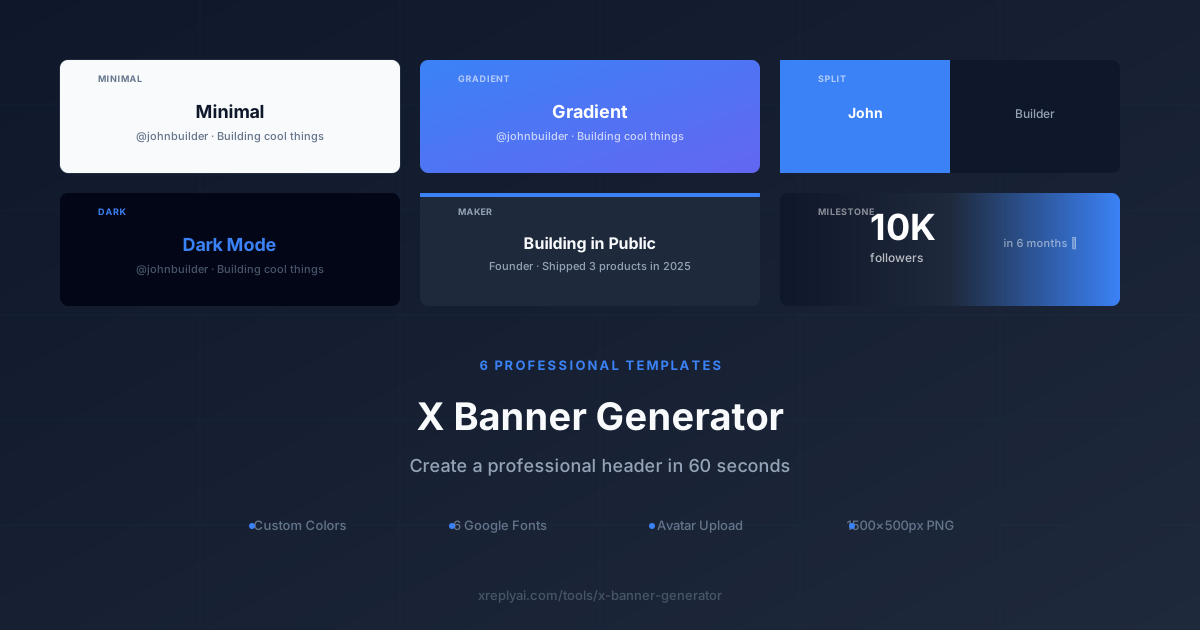
- Choose a template. Pick from Minimal, Gradient, Split, Dark, Maker, or Milestone.
- Enter your text. Add your name, tagline, or a short bio. Whatever fits your brand.
- Pick a color palette. Each template has preset palettes, plus a custom color picker for full control.
- Choose a font. Select from 6 Google Fonts to match your aesthetic.
- Upload your avatar (optional). Some templates include a circular avatar area for a polished look.
- Download. Click download and get a 1500×500px PNG instantly. No watermark, no account required.
Which X banner template should you pick?
Each of the 6 templates serves a different purpose. Here's a quick guide:
- Minimal: Clean, text-forward design. Best for professionals and writers who want a subtle brand presence.
- Gradient: Bold color gradient background. Best for creators who want a vibrant, energetic look.
- Split: Two-tone split design. Best for brand contrast and visual impact.
- Dark: Dark background with light text. Best for tech builders, developers, and night-mode aesthetics.
- Maker: Designed for indie makers and builders. Highlights what you're building with a structured layout.
- Milestone: Shows growth stats (followers, revenue, product launches). Best for sharing wins publicly.
How to use the Milestone banner template
The Milestone template is designed for one specific use case: sharing a growth achievement on X. Think "Just hit 10,000 followers" or "$10K MRR reached."
Here's how to set it up:
- Select the Milestone template.
- Enter your milestone metric (e.g., "10,000" or "$10K").
- Add a label for the metric (e.g., "followers" or "monthly revenue").
- Set the period (e.g., "in 6 months" or "reached today").
- Toggle the number abbreviation if you want compact display (10,000 → 10K).
- Download and update your X profile banner to celebrate publicly.
Milestone banners consistently drive profile visits and follows when people are mid-growth journey. They signal momentum.
X banner design tips that actually work
After building this tool and studying hundreds of high-performing X profiles, here's what separates good banners from great ones:
- Keep text minimal. 5-10 words max. Your banner should be readable in a half-second glance.
- Stay consistent with your pinned tweet theme. If your pinned tweet is about building in public, your banner should say that too.
- Use high contrast. Light text on dark backgrounds (or vice versa). Never gray on gray.
- Avoid crowding the left edge. Your profile picture covers the bottom-left of the banner on mobile. Keep important content centered or to the right.
- Update your banner for launches. Swap in a Milestone banner when you hit a milestone, then revert to your default after a few days. The refresh drives profile visits.
Match your banner with sharper replies
A great banner sets the first impression. But consistent replies build the relationship. That's where XreplyAI comes in.
XreplyAI is an AI social media teammate that drafts your posts and your replies to comments in your own writing voice. It analyzes your existing posts to build a voice profile, so drafts sound like you, not like a generic AI.
A polished banner + authentic-sounding replies = a profile that converts visitors into followers.
Make your replies as sharp as your banner
Try XreplyAI free. Free trial, cancel anytime.
Try XreplyAI free →FAQ
- What is the correct size for an X (Twitter) banner?
- The recommended X (Twitter) banner size is 1500×500 pixels (3:1 aspect ratio). Our generator exports at exactly this resolution for a perfect fit.
- Is the X banner generator free?
- Yes. The tool at xreplyai.com/tools/x-banner-generator is completely free, no account required, no watermark on the downloaded PNG.
- What templates are available?
- There are 6 templates: Minimal, Gradient, Split, Dark, Maker, and Milestone. The Milestone template is designed for sharing growth stats like follower counts, revenue, or product launches.
- Can I upload my own profile picture to the banner?
- Yes. Several templates support an avatar upload with automatic circular crop, so your profile photo appears integrated into the banner design.
- What fonts can I use in my X banner?
- The generator offers 6 Google Fonts to choose from, covering a range of professional and modern styles.
- What file format does the banner download as?
- The banner downloads as a PNG file at 1500×500px, the native X banner resolution. No compression, no watermark.