Fake Tweet Generator: Create Realistic X Post Mockups Free
Need a realistic-looking X (Twitter) post mockup? Fast, free, and no watermark. A fake tweet generator lets you build one in under a minute. Whether you're making a presentation, illustrating a blog post, or testing a content idea, here's everything you need to know.
What is a fake tweet generator?
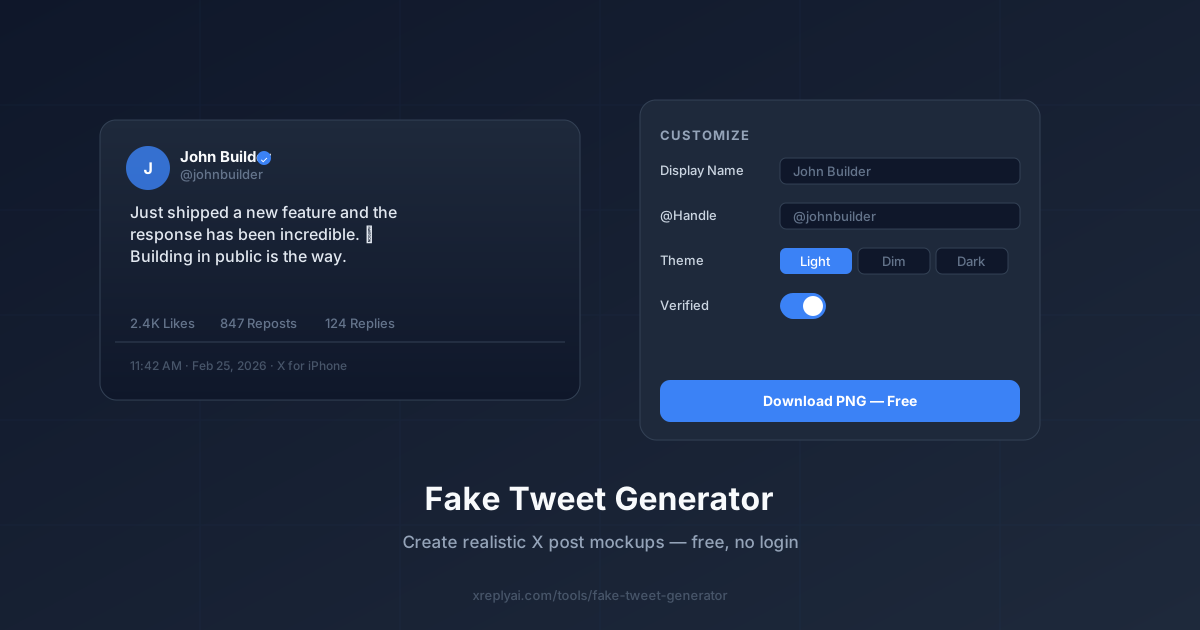
A fake tweet generator is a free browser tool that creates a pixel-perfect mockup of an X (Twitter) post. You fill in the profile name, handle, tweet text, and metrics. The tool renders a preview that looks exactly like a real tweet. You can then download it as a PNG image.
No design skills needed. No Photoshop. No Twitter account required. The whole process takes about 60 seconds.
How to create a fake tweet (step by step)
Our free fake tweet generator works entirely in your browser, nothing to install, no account needed.
- Open the tool at xreplyai.com/tools/fake-tweet-generator.
- Set the profile. Enter a display name, @handle, and optionally upload a profile picture. If you skip the avatar, the tool uses a letter fallback automatically.
- Write the tweet text. Click directly on the tweet body in the preview to edit it inline, up to 280 characters, just like real X.
- Customize the metrics. Set likes, reposts, replies, and bookmarks to any number you like.
- Choose a theme. Pick Light, Dim, or Dark to match the X interface appearance you want.
- Optional: Add an image. Attach a photo to your tweet for added realism.
- Download. Hit the download button and get a high-resolution PNG. No watermark, no login.
What can you customize in the fake tweet generator?
Most fake tweet tools only let you change the text. Ours goes further:
- Display name and @handle: any combination
- Avatar: upload your own image or use a letter avatar
- Verified badge: toggle the blue checkmark on or off
- Grok AI indicator: toggle the Grok icon for a modern look
- Tweet text: up to 280 characters, edited inline
- Timestamp: set any date and time
- Engagement metrics: likes, reposts, replies, bookmarks, views
- Theme: Light, Dim, or Dark
- Attached image: optional photo inside the tweet
The preview updates live, so you see exactly what the final PNG will look like before downloading.
What are fake tweet generators actually used for?
Despite the name, fake tweet generators are widely used for legitimate, creative purposes:
- Blog post illustrations: embed a styled tweet mockup without taking an actual screenshot
- Presentation slides: show what a social campaign or announcement could look like
- UI/UX mockups: prototype apps or features that display tweet content
- Educational content: teach social media strategy or Twitter mechanics without real accounts
- Comedy and satire: create clearly fictional tweets for entertainment (always label them as such)
- Testing content ideas: visualize how a tweet would look before posting the real thing
Is it legal to make a fake tweet?
Creating a fake tweet mockup is legal for most purposes, but context matters. Here are the key rules:
- Legal: Educational, satirical, creative, and demonstration uses where the mockup nature is clear
- Legal: Using your own name/brand for presentations or product mockups
- Illegal / unethical: Impersonating real people to deceive others (defamation, fraud)
- Illegal / unethical: Spreading fake quotes attributed to real public figures as if they're genuine
The rule of thumb: if a reasonable person could mistake your mockup for a real tweet from a real person, add a clear "mockup" or "example" label.
Go further with XreplyAI
Once you've got your mockup, the next step is getting real engagement on real tweets. That's where XreplyAI comes in.
XreplyAI is an AI social media manager that schedules posts and generates replies across X, LinkedIn, Instagram, Threads, and YouTube — all in your own writing voice. It analyzes your existing tweets to build a voice profile, then drafts content that sounds like you wrote it.
No generic AI fluff. No extra setup. Just replies that sound like you, ready to post.
FAQ
- Is a fake tweet generator free to use?
- Yes. Our fake tweet generator at xreplyai.com/tools/fake-tweet-generator is completely free, requires no login, and has no watermarks on the downloaded PNG.
- Can I customize the profile picture and name in a fake tweet?
- Yes. You can upload a custom avatar, set any display name and @handle, toggle a verified badge, and even add the Grok AI indicator.
- What themes does the fake tweet generator support?
- The tool supports three X (Twitter) themes: Light, Dim, and Dark. These match the official X interface appearance.
- Can I add images to my fake tweet?
- Yes. You can attach an image to your fake tweet, just like on real X posts. The image renders inside the tweet mockup before you download.
- Is it legal to use a fake tweet generator?
- Fake tweet generators are legal for educational, creative, and demonstration purposes. Never use them to spread misinformation or impersonate real people in a deceptive way. Always disclose that content is a mockup when sharing publicly.
- What format does the download come in?
- The tweet mockup downloads as a high-resolution PNG file, ready to use in presentations, blog posts, or social media content.
Want to generate real replies that sound like you?
XreplyAI trains on your own tweet archive to write replies in your voice — not a generic AI template. Free trial, cancel anytime.
Try XreplyAI free →