Twitter Video Downloader: Save X Videos Free in HD (No Login)
You found a great video on X and want to save it, but X doesn't have a native download button. A free Twitter video downloader solves that in seconds. Here's how to use one, what to expect, and what you need to know about downloading X videos legally.
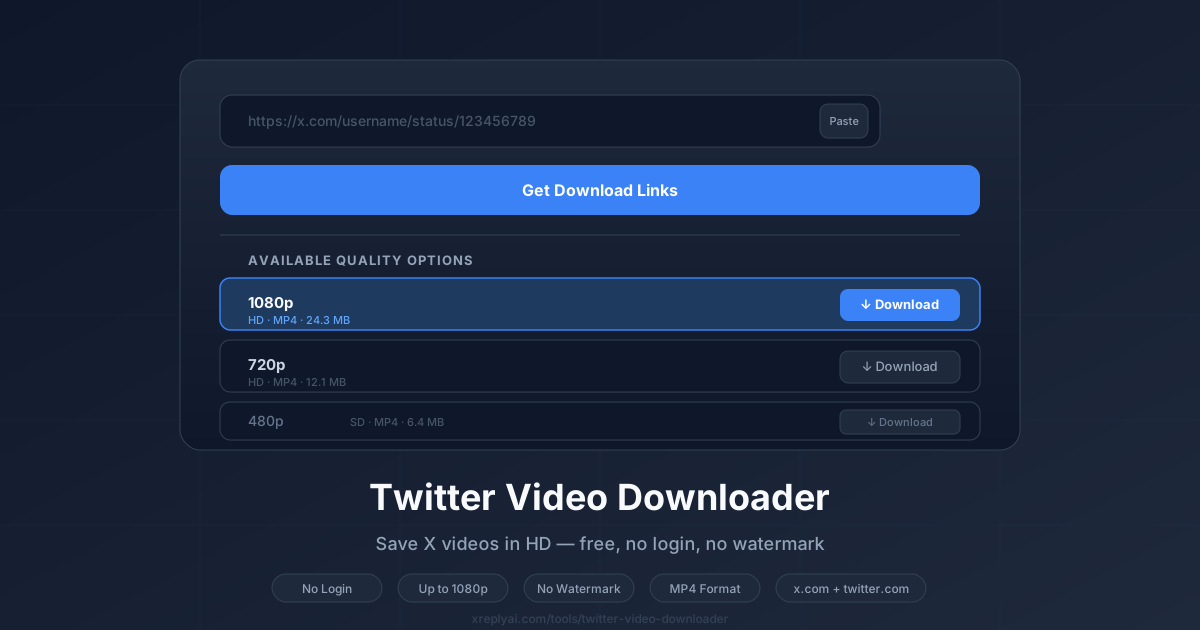
How to download a Twitter / X video (step by step)
Our free Twitter video downloader works entirely in your browser. No app to install, no account required.
- Find the tweet with the video on X.com. Click the Share button (the upload icon) and select "Copy link."
- Open the downloader at xreplyai.com/tools/twitter-video-downloader.
- Paste the tweet URL into the input field. You can use the Paste button to paste directly from your clipboard.
- Click "Get Download Links." The tool fetches the video metadata from the tweet and displays all available quality options.
- Choose your quality (up to 1080p where available) and click the Download button next to it.
- The MP4 file saves to your device. The download starts immediately in your browser.
What video quality can you download from X?
The available quality options depend on what Twitter encoded when the video was originally uploaded. Most public videos offer multiple quality tiers:
- 1080p: Highest quality, available on most recent uploads
- 720p: High definition, available on most videos
- 480p: Standard definition
- 360p: Low resolution, always available as a fallback
The downloader shows you all available options so you can pick the best quality for your needs. If a video was originally uploaded in lower resolution, 1080p simply won't appear as an option.
Why doesn't X (Twitter) have a download button?
X doesn't offer native video downloads because the platform prioritizes keeping users within the app. Downloaded videos are more likely to be shared off-platform, reducing X's engagement metrics and ability to serve ads.
There's also a copyright consideration: X hosts videos uploaded by users, who retain the rights to their content. A built-in download button would make it trivially easy to redistribute copyrighted material.
Third-party downloader tools work by accessing the video stream URLs that X makes publicly available for playback. They don't bypass any security or access private content.
Is it legal to download videos from Twitter / X?
Downloading X videos for personal, non-commercial use is generally accepted under fair use principles in most jurisdictions. However, there are clear lines you shouldn't cross:
- Personal use: Saving a video to watch offline. Generally fine.
- Research or education: Archiving content for study. Generally fine.
- Redistribution: Reposting the video elsewhere under your name. Not okay without permission.
- Commercial use: Using someone else's video in paid content. Requires a license or permission.
- Monetization: Profiting from downloaded content. Requires the creator's permission.
When in doubt, reach out to the original creator and ask. Most people appreciate being asked rather than having their content taken without credit.
What won't work with a Twitter video downloader?
A few things the tool can't do, so you know upfront:
- Private/protected accounts: Videos from non-public accounts can't be accessed. The tool only works with public tweets.
- X Spaces audio: Live or recorded Spaces are not in the same video format and aren't supported.
- DM videos: Videos sent in direct messages are private and can't be downloaded.
- GIFs: X converts GIFs to a short looping video format internally, but they may not download as a GIF. They'll be an MP4.
Engage with viral videos faster with XreplyAI
Found a viral video you want to reply to but struggling to write something that doesn't sound generic? XreplyAI helps with exactly that.
XreplyAI is an AI social media teammate that drafts your posts and your replies to comments in your own writing style. It builds a voice profile from your existing posts, so drafts sound like you wrote them.
Reply to viral content faster, more consistently, and with a voice that actually represents you.
FAQ
- Is the Twitter video downloader free?
- Yes. The tool at xreplyai.com/tools/twitter-video-downloader is completely free, no login, no account, no watermark on the downloaded file.
- What video quality can I download?
- You can download videos in up to 1080p, the highest quality that Twitter encoded for the tweet. Lower options like 720p, 480p, and 360p are also available if present.
- Does it work with X.com and Twitter.com URLs?
- Yes. The downloader accepts both x.com and twitter.com tweet URLs with a /status/ path.
- Can I download private or protected tweets?
- No. The tool only works with videos from public tweets. Private or protected accounts are not accessible.
- Is it legal to download Twitter videos?
- Downloading Twitter videos for personal, non-commercial use is generally accepted under fair use principles. You should not redistribute, repost, or monetize downloaded videos without the original creator's permission.
- What format does the video download in?
- Videos download as MP4 files, the standard format used by X/Twitter for all video content.