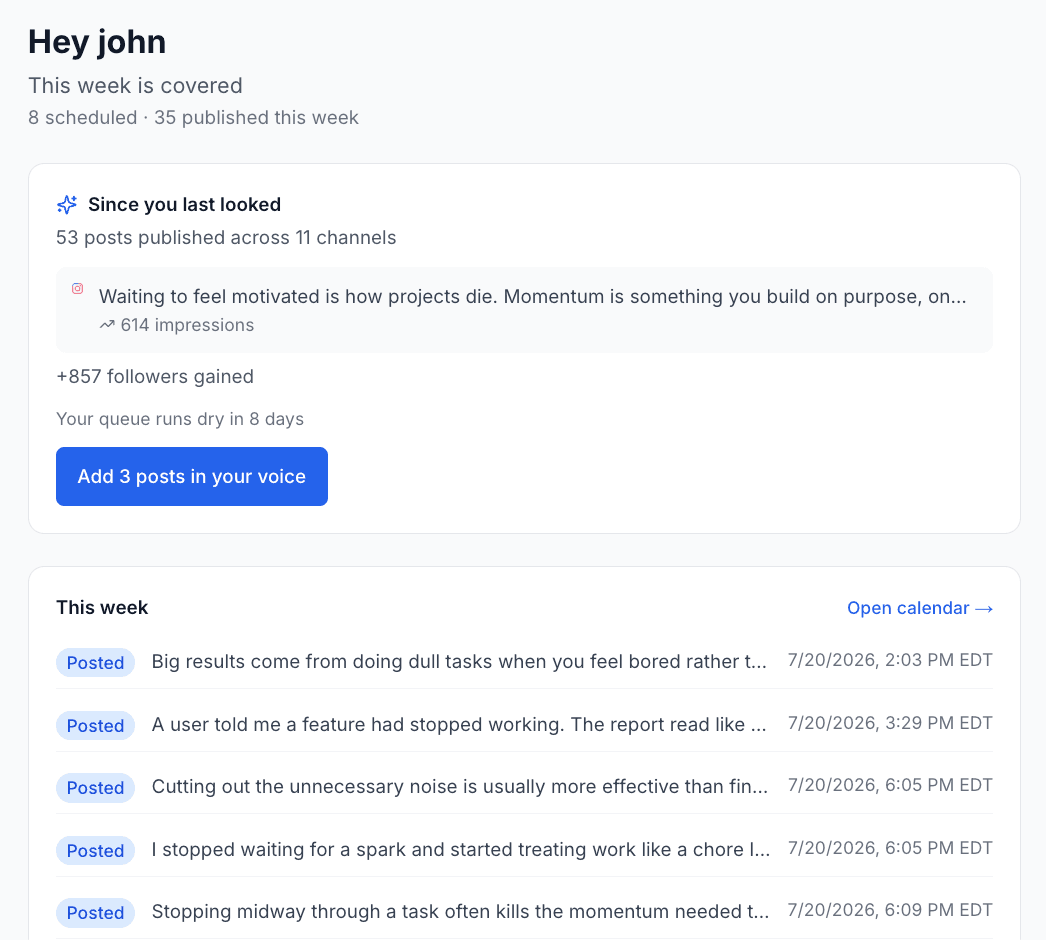
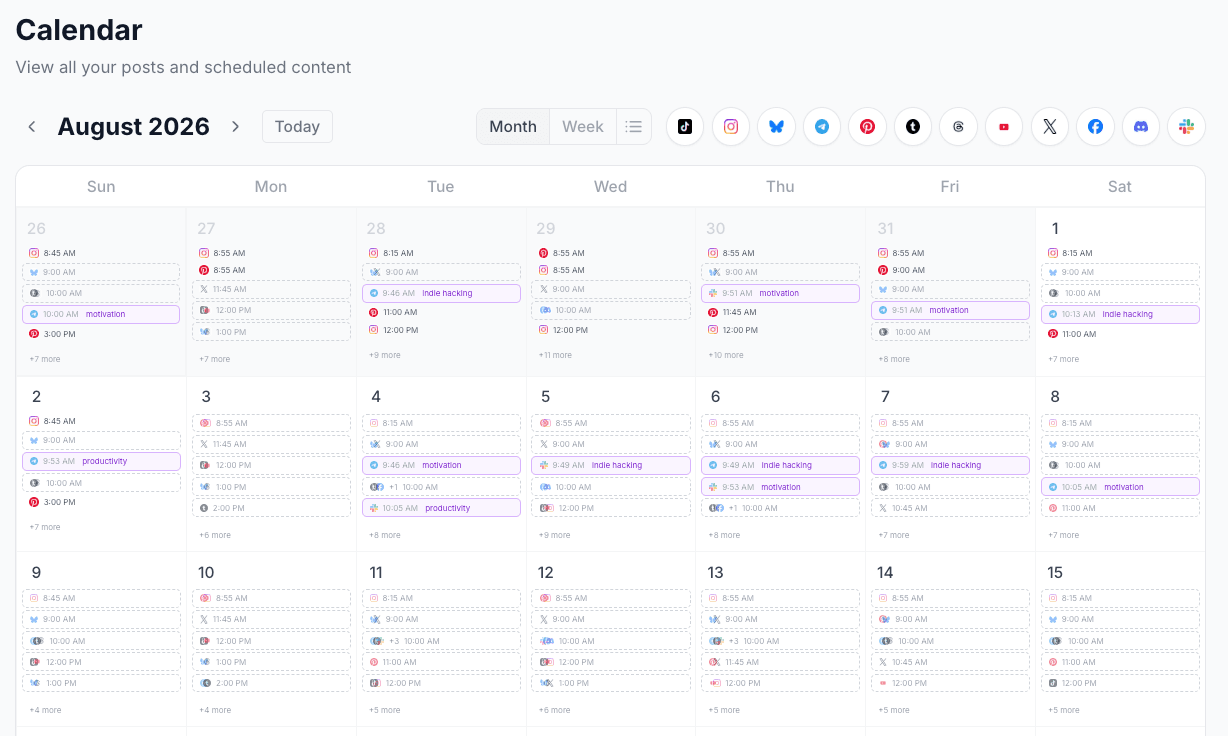
15 platforms, one calendar. Discord included

Discord Scheduling Tool: Schedule Channel Posts in Advance, Free

Set your posting rhythm once, drop Discord announcements in, and XreplyAI publishes them on schedule. Free plan: 3 connected accounts and 30 scheduled posts, no credit card. The same calendar covers 14 more platforms.

Free plan · 3 accounts · 30 scheduled posts · No credit card required

A Discord scheduling tool lets you queue channel posts once and publish them on a set schedule. XreplyAI schedules Discord announcements in advance for free, with 3 accounts and 30 queued posts on the free plan and no card required. It puts your Discord channel on the same calendar as 14 other platforms, so a launch note reaches your community and your social accounts together.

Discord vs. a multi-platform scheduler

Discord has no native scheduler for channel posts. Announcements go out when someone types them, which makes a consistent community rhythm dependent on somebody being around. Read our roundup of the best social media scheduling tools for a full comparison.

FeatureDiscordXreplyAI
Schedule posts aheadNo native schedulerYes
Queue-first posting rhythmN/AYes: set once, auto-slot
Announce to community + social at onceSeparate jobsYes, one entry
Other platformsDiscord onlyX, LinkedIn, Telegram, Slack + 10 more
Everything queued in one viewN/AAll 15 platforms
CostFree (native)Free plan · Starter $9.99/mo · Pro $33.32/mo
Per-seat feesN/ANone

How to schedule Discord posts in advance with XreplyAI

Connect once, set your rhythm, drop content in. XreplyAI handles the rest.

01

Connect Discord, free

Link your Discord account in a couple of clicks. The free plan covers 3 connected accounts, so you can add two more platforms without paying anything.

02

Set your posting schedule

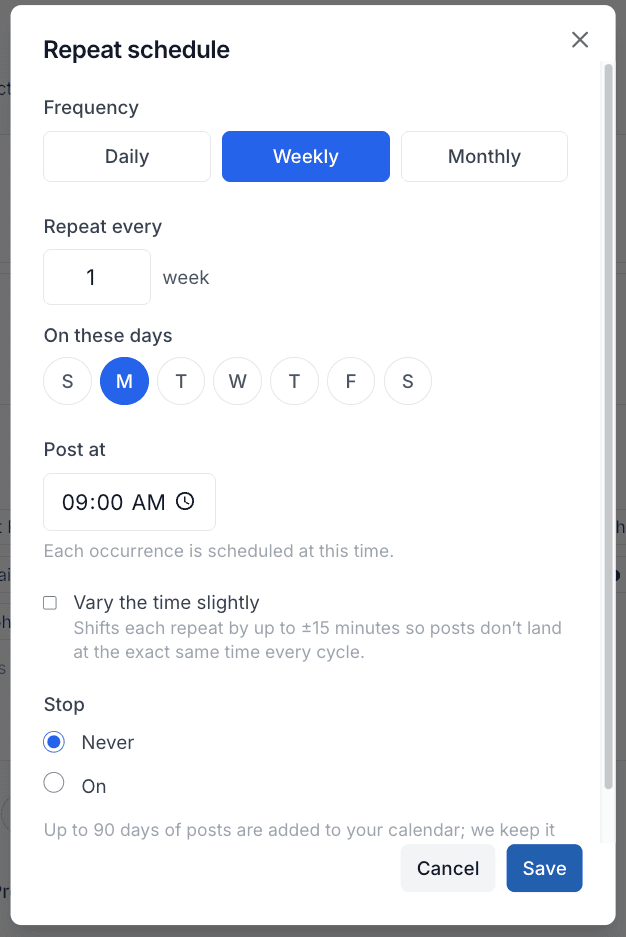
Pick the days and times you want posts to go out. Set it once and XreplyAI fills the next open slot every time you add one. No picking a time for each post.

03

Queue your posts

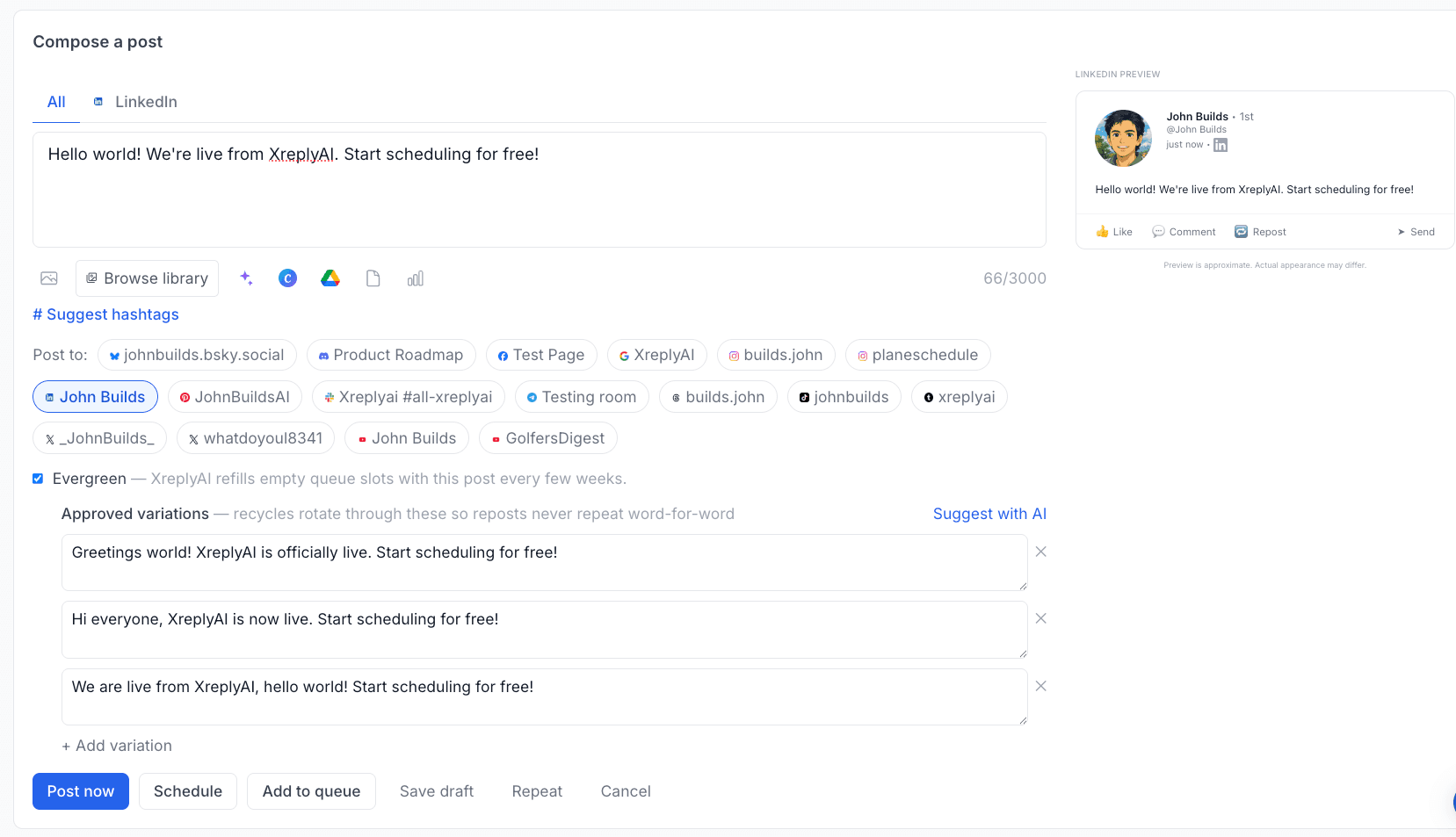
Batch a week of content in one sitting and drop it on the calendar. Send the same post to other platforms from the same entry.

04

Auto-publish on schedule

XreplyAI publishes directly to Discord at the scheduled time. No reminder, no manual step. It goes out while you are doing something else.

What you get without paying anything

Scheduling is not the paid part. The free plan is a working scheduler, not a countdown to a paywall. Only AI generation lives in the paid tiers.

3

connected accounts

Discord plus two more platforms of your choosing.

30

scheduled posts

Enough to hold several weeks of a steady posting rhythm in your queue.

$0

no card required

No credit card to start, no trial timer counting down on the free plan.

Need more room? Starter is $11.99/mo ($9.99/mo billed annually) for 10 connected channels and unlimited manually scheduled posts. AI post generation, trained on your own archive, lives in Pro and Team. It is optional, and you stay the author. See flat pricing.

One calendar for Discord and 14 other platforms

Single-platform tools stop at one network. Add a second and you add a second login and a second calendar to keep in sync. XreplyAI is one calendar for all 15, on one subscription with no per-channel charges.

X (Twitter)
LinkedIn
Instagram
Threads
Facebook
YouTube
TikTok
Pinterest
Bluesky
Mastodon
Discord
Telegram
Tumblr
Google Business
Slack

15 platforms, one calendar. Set your posting schedule once, drop content in when you have it, and XreplyAI fits each post into the next open slot across every channel you have connected. No per-seat fees, no per-channel charges.

Start free, upgrade only when you outgrow it

The free plan schedules to 3 accounts with 30 queued posts, no card. Beyond that, XreplyAI is one subscription, no per-seat fees, with Starter from $9.99/mo (annual) for 10 channels. A 10-day Pro trial, no card required, is there when you want to try AI generation.

Get tips on scheduling Discord + other platforms

Join founders and creators who schedule consistently across 15 platforms.

No spam. Unsubscribe anytime.

Discord scheduling: common questions

Everything about scheduling Discord posts in advance with XreplyAI.

Can you schedule Discord posts for free?

Yes. XreplyAI's free plan lets you schedule and publish Discord posts to up to 3 connected accounts with up to 30 posts in your queue, no credit card required. Scheduling is not paid-gated; only AI generation lives in the paid tiers.

Does Discord let you schedule posts natively?

Discord does not offer native scheduling for channel posts. Publishing on a schedule requires a bot or a third-party tool. XreplyAI schedules Discord alongside 14 other platforms from one calendar.

How many Discord posts can I schedule in advance?

On the free plan you can hold 30 posts in your queue across 3 connected accounts. Starter ($11.99/mo, or $9.99/mo billed annually) raises that to 10 connected channels with unlimited manually scheduled posts.

Does XreplyAI actually publish the post, or just remind me?

It publishes. Connect your Discord account, add the post to your calendar, and XreplyAI publishes it at the scheduled time. No reminder, no manual step.

Can I schedule the same post to Discord and other platforms at once?

Yes. XreplyAI schedules across 15 platforms from one calendar: X, LinkedIn, Instagram, Threads, Facebook, YouTube, TikTok, Pinterest, Bluesky, Mastodon, Discord, Telegram, Tumblr, Google Business, and Slack. One draft, one calendar, every platform.

Which channel do scheduled posts go to?

The channel you pick when you connect Discord. Scheduled posts publish there at the scheduled time.

Further reading

Schedule other platforms

Every platform below runs from the same calendar as Discord. Connect up to 3 on the free plan.

Schedule your Discord posts. Then forget about them.

Set your posting rhythm once, drop content in, and let XreplyAI publish it on time, across Discord and 14 other platforms from one calendar.

Start Scheduling Free →

Free plan · 3 accounts · 30 scheduled posts · No credit card required

Discord Scheduling Tool: Schedule Posts Free | XreplyAI