Tweet Reply Generator: Reply Faster in Your Own Voice
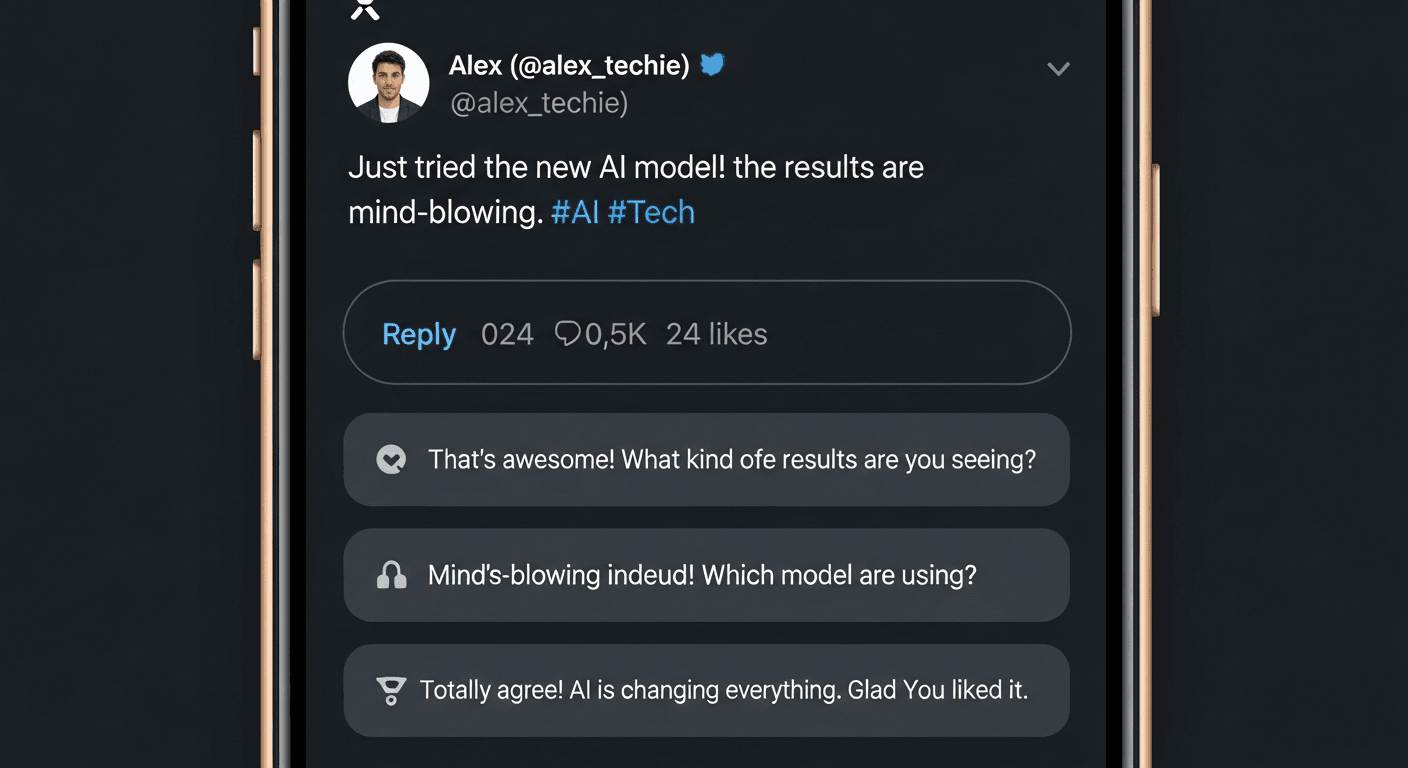
A tweet reply generator is an AI tool that writes replies to tweets for you. You paste in the tweet, choose a tone or goal, and get draft replies in seconds. That is the simple version. The harder problem is that most of them make everyone sound the same.
If you have spent any time on X in the past year, you have noticed it: the same phrasing, the same sentence structure, the same telltale rhythm that signals to anyone paying attention that the reply came from a chatbot, not a person. The tool saved time but cost credibility.
This post covers how tweet reply generators actually work, which reply styles perform best on X, what to watch out for, and how to use one without giving up the voice you have spent years building.
What Is a Tweet Reply Generator and How Does It Work?
A tweet reply generator is an AI tool that takes a tweet as input and produces one or more draft replies. Most tools follow the same four-step flow: you paste the tweet, set a tone or context, hit generate, then review and post.
Under the hood, the AI reads the tweet and constructs a response using a large language model, the same underlying technology as ChatGPT or Claude. The difference between tools comes down to two things: how much context the model has about your voice, and whether it is generating from a generic prompt or from something specific to you.
Generic tools give you a tone picker: professional, witty, empathetic. You choose one, and you get a reply that fits that mold. The problem is that thousands of other people using the same tool with the same tone setting will produce structurally identical replies. Experienced X users spot this pattern quickly.
Better tools go further. XreplyAI, for example, trains a voice profile on your own tweet archive, so the model generates replies with your vocabulary, your sentence length, your tendencies. The output is not just grammatically correct, it is recognizable as you. That distinction matters more the longer you have been on X and the more your audience knows your voice.
Why Solo Founders and Creators Use AI Tweet Reply Generators
The math is straightforward. If you are building something and also trying to stay visible on X, the engagement tax gets expensive fast. Reading threads, composing thoughtful replies, not coming across as a drive-by commenter, each interaction takes 3 to 5 minutes when done properly. Across 10 to 20 replies a day, that is an hour you did not have.
The reply guy strategy is one of the most reliable ways to grow on X, but it only works if you can sustain the volume without burning out or going robotic. The people who do it well are either extremely disciplined or they have built systems to support the output.
There is also an algorithm angle. X rewards consistent engagement. Accounts that reply regularly and generate replies in return signal active participation. The platform surfaces active accounts more aggressively than accounts that only post and wait. Consistent reply activity is, practically speaking, a growth lever, not just a nicety.
The founders and creators who get the most out of AI reply tools treat them as a drafting layer, not a publish layer. The AI writes a first draft. They edit it for accuracy, add a specific detail the AI could not have known, and then post. The time savings come from not starting from a blank cursor, not from outsourcing your judgment entirely.
The 6 Reply Styles That Actually Perform on X
Not all replies are equal. Some generate follows, DMs, and reposts. Others get a like and disappear. The difference is usually structural, not just tonal. Here are the six patterns worth building into your reply rotation, and what each one is good for.
Add value or an insight. You extend the original tweet with something the author did not say. Works best when you have genuine knowledge in the niche. This is the highest-effort style and the highest-return one.
Disagree respectfully. You take a different position, but with specifics, not just contradiction. Generates the most replies and conversation. Requires accuracy and care. If you get the facts wrong, the thread becomes a correction pile-on.
Ask a follow-up question. A focused question that shows you read the tweet carefully. Low effort, moderate return. Good for keeping conversations going rather than starting new ones.
Share a related experience. A one or two sentence personal anecdote that connects to the tweet. Makes you memorable as a person rather than a commenter. Best used sparingly so it does not feel performative.
Short affirmation. Agreement with a specific reference to what you are agreeing with. Avoid generic phrases. Used sparingly this is fine. As a default pattern it signals you are not really engaging. For guidance on best time to post on X, timing your reply activity can amplify the reach of every interaction.
Humor or wit. Brand-dependent. If your account voice runs warm and clever, this lands well. If it does not match your usual register, it reads as trying too hard.
How to Use XreplyAI's Tweet Reply Generator in Your Own Voice
XreplyAI is a Chrome extension, not a separate web tool. That distinction matters for the workflow. You are on X reading your feed, you see a tweet worth replying to, and the reply interface is already there inside X. You do not open a new tab, paste text, switch back. The generation happens where you are already working.
The voice piece starts before you ever open the extension. During setup, you upload your tweet archive, the full export of everything you have ever posted. XreplyAI trains a voice profile from that data, building a model of your vocabulary, sentence structure, and tendencies. When you generate a reply, it uses that profile rather than a generic tone setting.
The voice matching feature is the sharpest differentiator compared to other tools. Most AI reply generators give you a tone picker: formal, casual, witty. XreplyAI gives you a model trained on what you have actually written, which means the output reflects your specific idioms, not a generic approximation of a tone.
On the model side, XreplyAI supports Gemini, ChatGPT, and Claude. You pick your preferred model in settings. Generation runs on XreplyAI's managed AI pool, included in the flat subscription. No provider account to set up separately, no credits ceiling.
What to Watch Out For With AI Reply Generators
The main failure mode is predictability. When a tool generates from a generic template, the output has consistent structural fingerprints: certain transition phrases, a tendency to open with agreement before pivoting, a particular cadence on sentence length. Frequent X users recognize these patterns. The reply looks fine on its own, but in context it reads as AI-generated. That perception erodes the credibility you were trying to build.
The fix is not to avoid AI tools. It is to treat the output as a draft. Read it, adjust one or two things so it has a specific detail or phrasing that is distinctly yours, then post. The edit does not have to be substantial. A single sentence added from actual knowledge, or a word swapped out for one you actually use, is usually enough to break the pattern.
There are also situations where you should not use a generator at all. Replies to people you know personally should be written by hand. Sensitive topics where nuance is critical should not be delegated to a model that does not know the full context. And if you are responding to criticism or a negative comment directed at you, the AI almost always produces something too neutral and measured for the situation.
On privacy: most AI reply tools send your reply content to their own servers for processing. XreplyAI's generation runs server-side on their managed infrastructure. If you are working in a regulated industry or building products with sensitive roadmaps, factor that into your tool choice. You can also use the tweet thread generator to turn strong reply content into full posts when a topic is worth expanding.
The point of a tweet reply generator is not to remove you from the process. It is to remove the blank-cursor problem, the 30 seconds of staring at a reply box trying to figure out how to start. A good generator gives you a draft worth editing. A great one gives you a draft that already sounds like you wrote it.
If you want to see how voice-trained reply generation works in practice, try XreplyAI free. The setup takes about 10 minutes, and the difference between generic AI output and output trained on your own archive is apparent immediately.
FAQ
- Is a tweet reply generator free?
- Some tools offer free tiers with limited daily generations. XreplyAI is $249/month flat with AI generation included and no credits ceiling. Several web-based generators are also free with limited daily usage.
- Will AI-generated replies get flagged or penalized by X?
- X does not currently detect or penalize AI-generated replies. The platform's automated behavior policies focus on spam volume and bot-like posting patterns, not the source of the text. The real risk is audience perception, not platform enforcement: replies that sound formulaic will hurt your credibility with the people you are trying to impress, not with the algorithm.
- How do I make AI replies sound like me, not a template?
- Two approaches work well together. First, use a tool that trains on your own writing rather than a generic tone setting. XreplyAI's voice profile uses your tweet archive to match your actual style. Second, always edit before posting: add one specific detail the AI could not have known, or replace a phrase that does not sound like you. The combination of voice-trained output and a quick human edit produces replies that are indistinguishable from ones you wrote yourself.
- Can I use a tweet reply generator for LinkedIn or other platforms?
- XreplyAI supports multiple platforms including LinkedIn, Instagram, Threads, and YouTube, not just X. The voice profile applies across platforms, so your replies maintain a consistent voice whether you are engaging on X or responding to a LinkedIn comment. The Chrome extension handles the cross-platform workflow without requiring separate tools for each network.
- What is the best AI tweet reply generator for founders and creators?
- The best tool depends on what you are optimizing for. If you want the fastest free option, several web tools generate acceptable replies without an account. If you want replies that actually sound like you, and you post enough that your voice is worth protecting, a tool with voice training is worth the setup time. XreplyAI is built specifically for that use case: founders and creators who have a distinct voice on X and do not want AI tools to flatten it.